


Skip to content
Bellatrix ERP

Bellatrix ERP Modules

ERP Modules for Every Business Function

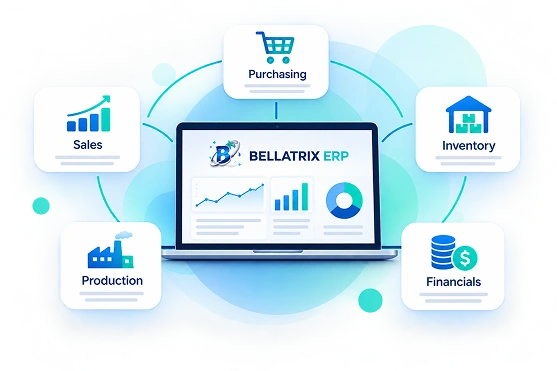
Manage sales, purchasing, inventory, production, and financial activities through dedicated ERP modules. Bellatrix ERP brings these essential functions into one platform, helping departments coordinate their activities and maintain consistent business information.

The Foundation of Your Business

Five Core Modules. One ERP Platform.

Bellatrix ERP brings together five essential business functions, providing dedicated tools for managing transactions, resources, production activities, and financial records.

  • Sales Management

    Manage the complete sales cycle, from initial enquiries and quotations to order processing and invoicing. The Sales Management module helps sales teams maintain customer information, organize orders, and track sales activities within a centralized system.

  • Purchase Management

    Manage procurement activities through supplier coordination, purchase requests, and purchase orders. The module supports purchasing processes and helps maintain records of supplier transactions and procurement activities.

  • Inventory Management

    Maintain stock records, monitor inventory movements, and manage warehouse activities. The Inventory Management module provides information about product availability and stock positions to support day-to-day inventory operations.

  • Production Management

    Coordinate manufacturing activities through production planning, material requirements, and work orders. The module helps organize production schedules and monitor the progress of manufacturing operations.

  • Accounts Management

    Manage financial transactions, accounts payable and receivable, invoicing, and accounting records. The Accounts Management module supports financial administration and provides access to relevant transaction information and reports.

Extending Your ERP Capabilities

More Functions. Broader Business Management.

Explore additional ERP modules designed to address specialized business functions and support your organization’s operational requirements.

  1. HR & Payroll

    Manage employee records, attendance, payroll administration, and HR activities.

  2. BOM, MRP & Job-work

    Manage bills of materials, material requirements, manufacturing planning, and job-work activities.

How ERP Modules Work Together

Bellatrix ERP links related business activities across departments, allowing transaction information to move between modules without unnecessary manual intervention.

Connected Business Workflows

  • Sales: Quotation → Sales Order
  • Purchase: Purchase Order → Goods Receipt
  • Accounts: Goods Receipt → Purchase Invoice
  • Production: Work Order → Material Issue → Finished Goods

AI & Reporting Capabilities

Access AI-powered insights, business dashboards, and MIS reports to analyze operational data and support informed decisions.

Choosing the Right Modules

Select ERP modules based on your business priorities, departmental needs, and existing processes. Our team can help identify suitable configurations.

Frequently Asked Questions

How do different ERP modules work together?

Bellatrix ERP links related activities across departments, so transaction information moves from one module to the next. A quotation becomes a sales order, a purchase order leads to a goods receipt and then a purchase invoice, and a work order moves through material issue to finished goods.

How can businesses identify the right ERP modules?

Start with your business priorities, departmental needs and existing processes. The five core modules (sales, purchasing, inventory, production and accounts) form the foundation, and additional modules can be added as needed. Our team can help identify a suitable configuration.

Can additional ERP modules be configured as business requirements change?

Yes. Modules run on one platform, so you can add functions such as CRM, HR & Payroll or Fixed Asset Management later and configure them around your requirements.

How does an integrated ERP platform reduce duplicate data entry?

Information entered once is shared by every module that needs it. A sales order, for example, flows into stock and accounts without being typed in again, which keeps business records consistent across departments.

How can businesses monitor activities across different ERP modules?

Business dashboards, MIS reports and AI-powered insights bring information from every module together, so management can review business metrics and analyze operational information in one place.

Ready to Get Started?

Take Your Business Forward

Experience AI-powered ERP solutions that simplify workflows and support smarter business growth.

Book a Free ERP Demo